Free Chrome Extension

LinkedIn, but only
the good parts.

CleanedIn is a free Chrome extension that cleans your LinkedIn feed by automatically detecting and hiding AI-generated posts, engagement bait, humble brags, and noise. It uses AI classification running silently in the background — filtering low-value content and highlighting posts worth reading.

20 free filters/day · No credit card · Works in 30 seconds

★★★★★

Your feed, transformed

Watch CleanedIn filter noise and surface signal — automatically, as you scroll.

Two tools. One clean feed.

Every post gets checked. Noise is quietly collapsed. Signal rises to the top.

Filters noise out

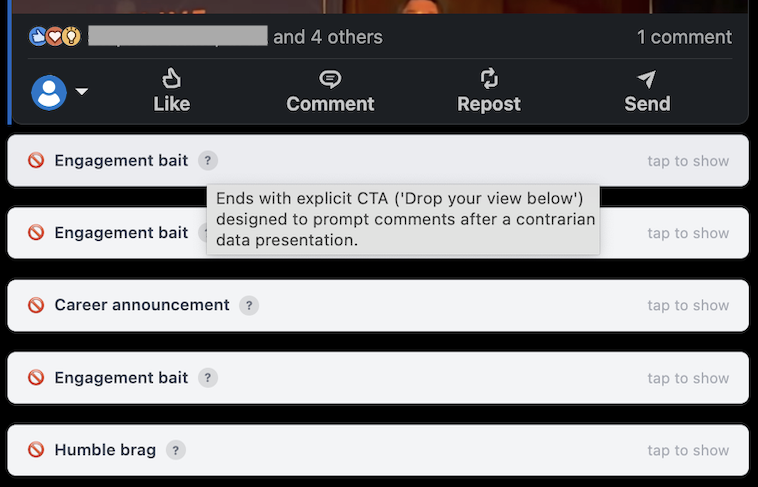
Collapsed quietly. Click any post to reveal it. Nothing is deleted — you're one tap from the full feed.

AI-generated content
Bullet points, a call to action, and zero personality. Classic.
Engagement bait
Drop a ❤️ if you scroll past these without feeling anything.
Humble brag
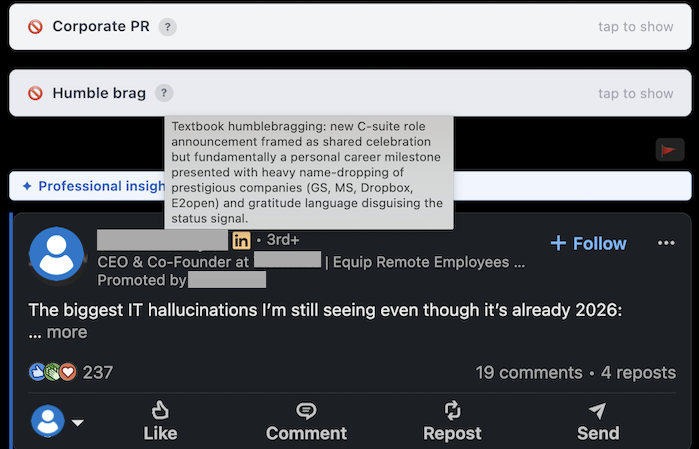
Humbled, honoured, and very much aware of the camera.
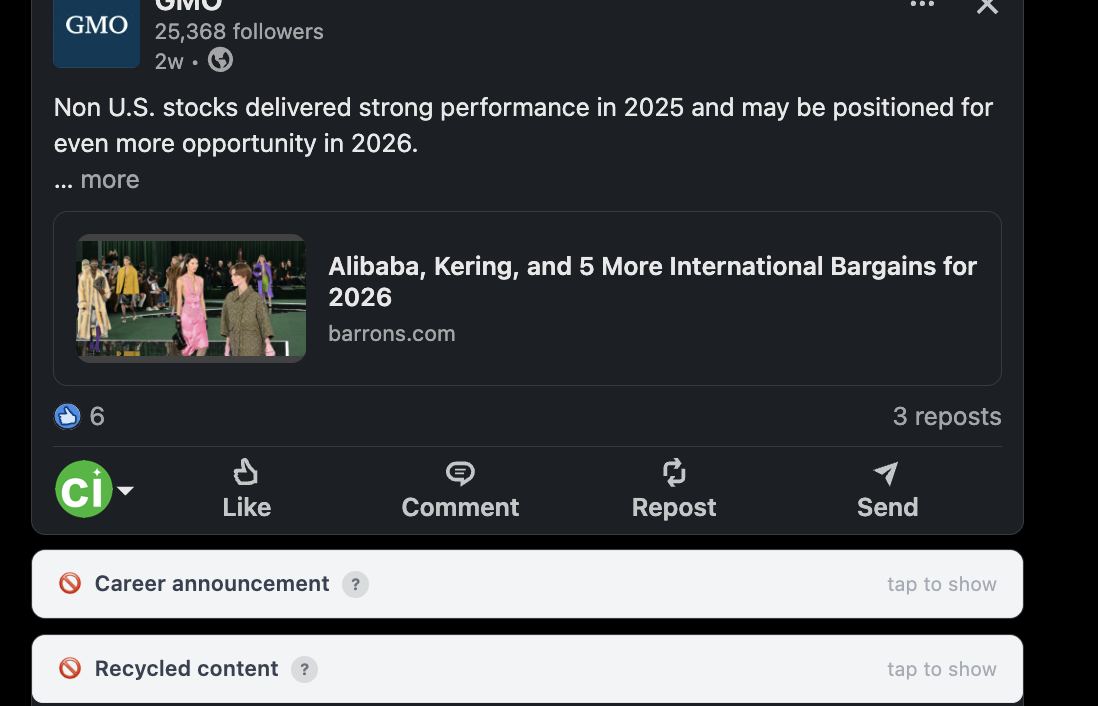
Career announcements
Thrilled to embark on this new chapter of the same journey.
Corporate PR
We are a family here. (Unless there are layoffs.)
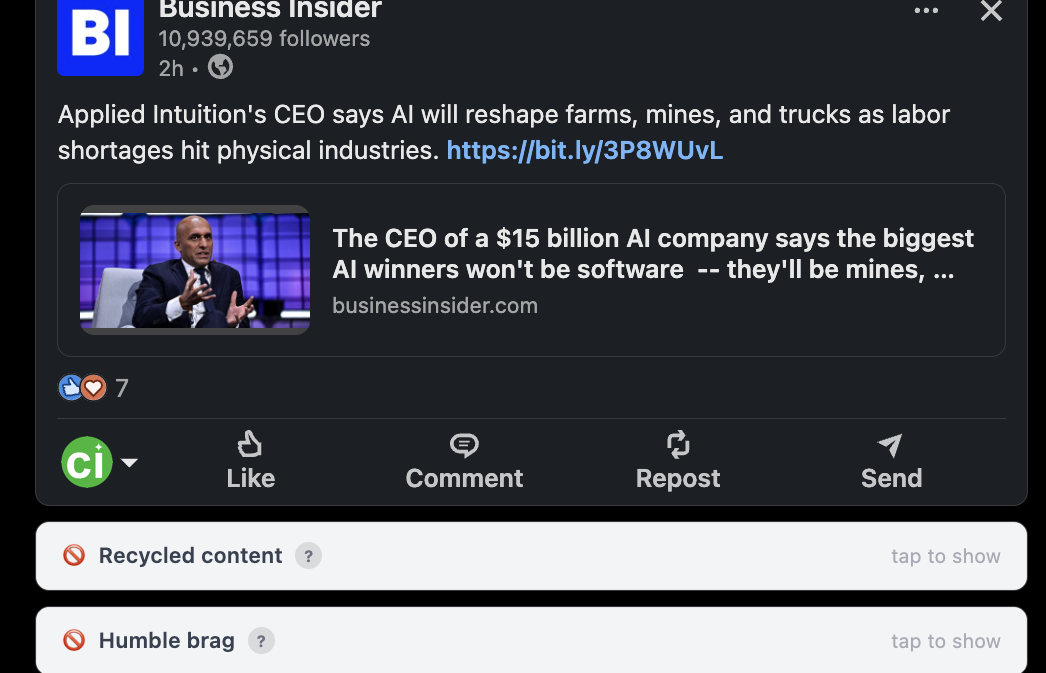
Recycled content
The NASA janitor story is on its 400th lap.
Empty inspiration
Work hard. Dream big. Chase goals. Vague, but okay.
Vague teases
Something huge is coming. (Spoiler: it's a newsletter.)
Off-topic posts
Great content. Wrong platform entirely.
Political noise
LinkedIn is not Twitter. Mostly.

10 filter types — each individually toggleable. Sensitivity slider from Forgiving to No Mercy.

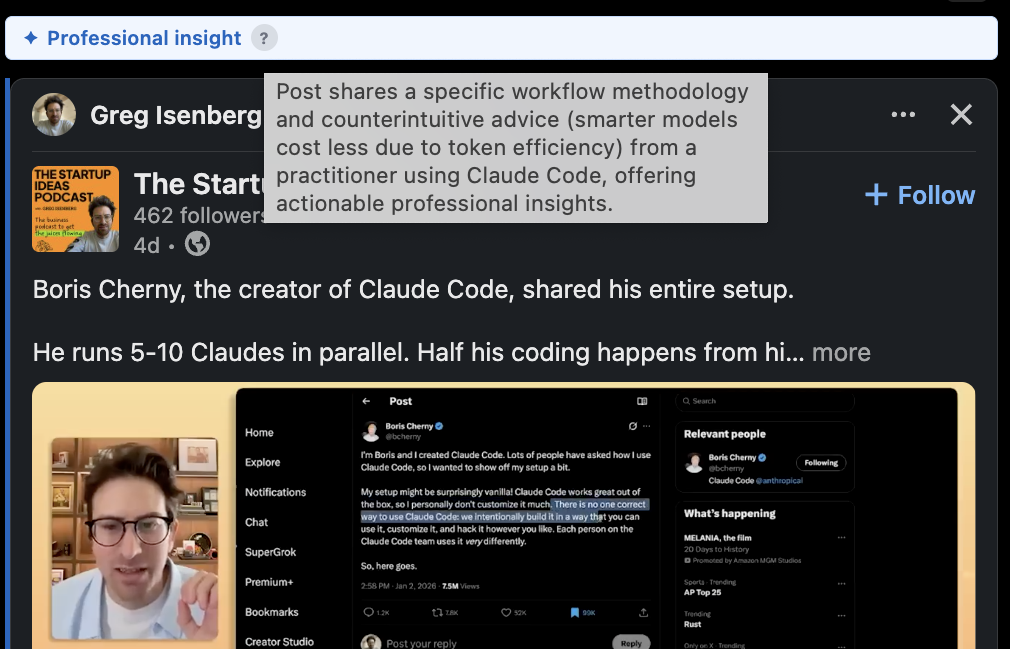
✦ Spotlights signal

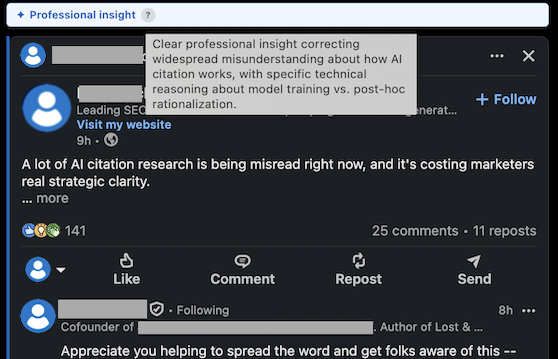
Blue left border. Impossible to miss as you scroll. The good stuff finally gets the attention it deserves.

Professional insights
Someone tried something, it worked, and they shared the numbers.
Original research
Data that wasn't made up over a team lunch.
Job opportunities
A real role, a real team, a real reason to keep reading.
Contrarian takes
They might be wrong, but at least they thought it through.
Worth reading
You'll be glad you didn't skip this one.
Product launches
Shipped, not announced as "coming soon" for the third month.
Case studies
Here's what we built, here's what broke, here's what worked.
Expert analysis
From someone who actually knows the field. Rare, but real.

8 spotlight categories — Pro feature. Toggle each on or off independently.

How burned out are you?

Take the 60-second LinkedIn Fatigue Test

Question 1 of 6

How to clean your LinkedIn feed

  1. 1
    Install CleanedIn — free from the Chrome Web Store, takes 30 seconds, no credit card required
  2. 2
    Open LinkedIn — CleanedIn automatically detects and filters posts as you scroll, in real time
  3. 3
    Customise your filters — open the popup, choose which post types to hide, and set your sensitivity from Forgiving to No Mercy

Simple pricing

Start free. Upgrade when you need more.

Free
£0 / month
 

Perfect for trying it out.


  • 20 classifications per day
  • All 10 filter types
  • Adjustable sensitivity
  • Click-to-reveal any post
Install Free

The noise is real.
Now you can tune it out.
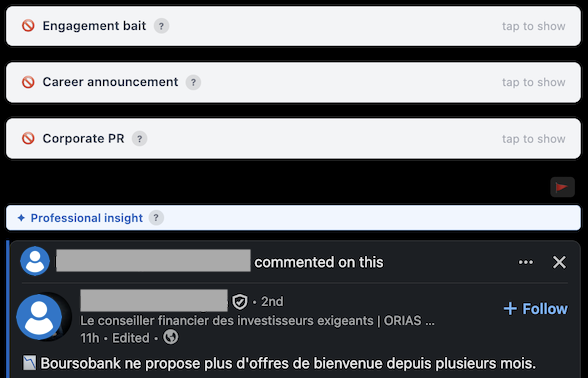
LinkedIn post filtered by CleanedIn as engagement bait
LinkedIn post filtered by CleanedIn as AI-generated content
LinkedIn post filtered by CleanedIn as humble brag
LinkedIn post filtered by CleanedIn as empty inspiration
LinkedIn post filtered by CleanedIn as career announcement
LinkedIn post filtered by CleanedIn as corporate PR
LinkedIn post filtered by CleanedIn as engagement bait
LinkedIn post filtered by CleanedIn as AI-generated content
LinkedIn post filtered by CleanedIn as humble brag
LinkedIn post filtered by CleanedIn as empty inspiration
LinkedIn post filtered by CleanedIn as career announcement
LinkedIn post filtered by CleanedIn as corporate PR
LinkedIn post filtered by CleanedIn as recycled viral content
LinkedIn post filtered by CleanedIn as AI-generated content
LinkedIn post filtered by CleanedIn as empty inspiration
LinkedIn post filtered by CleanedIn as corporate PR
LinkedIn post filtered by CleanedIn as engagement bait
LinkedIn post filtered by CleanedIn as humble brag
LinkedIn post filtered by CleanedIn as recycled viral content
LinkedIn post filtered by CleanedIn as AI-generated content
LinkedIn post filtered by CleanedIn as empty inspiration
LinkedIn post filtered by CleanedIn as corporate PR
LinkedIn post filtered by CleanedIn as engagement bait
LinkedIn post filtered by CleanedIn as humble brag
LinkedIn post filtered by CleanedIn as career announcement
LinkedIn post filtered by CleanedIn as recycled viral content
LinkedIn post filtered by CleanedIn as humble brag
LinkedIn post filtered by CleanedIn as engagement bait
LinkedIn post filtered by CleanedIn as corporate PR
LinkedIn post filtered by CleanedIn as empty inspiration
LinkedIn post filtered by CleanedIn as career announcement
LinkedIn post filtered by CleanedIn as recycled viral content
LinkedIn post filtered by CleanedIn as humble brag
LinkedIn post filtered by CleanedIn as engagement bait
LinkedIn post filtered by CleanedIn as corporate PR
LinkedIn post filtered by CleanedIn as empty inspiration

Common questions

CleanedIn is a free Chrome extension that automatically filters noise from your LinkedIn feed. It detects and hides AI-generated posts, engagement bait, humble brags, career announcements, and other low-value content — while highlighting posts worth reading with a blue border.
Yes. CleanedIn is free to install with 20 classifications per day. Pro plans start at £9/month or £59/year for unlimited classifications and access to the Spotlight feature.
Post text is sent to our server for AI classification and discarded immediately after. It is never written to a database. The only data stored is your email address, usage count, and subscription status — the minimum needed to run the service.
CleanedIn filters 10 post types: AI-generated content, engagement bait, humble brags, career announcements, off-topic content, recycled viral posts, political and news shares, empty inspiration, vague teases, and corporate PR. Every filter can be toggled on or off independently.
Spotlight is a Pro feature that highlights valuable posts with a blue left border so they stand out as you scroll. It surfaces professional insights, original research, job opportunities, contrarian takes, product launches, case studies, and posts genuinely worth your time.
LinkedIn's keyword muting only hides posts containing specific words. CleanedIn uses AI to understand the intent and quality of a post — it catches engagement bait, AI filler, and humble brags even when they use no predictable keywords. It also highlights good content, not just hides bad content.
No. CleanedIn runs classification calls asynchronously with a maximum of 3 concurrent requests. Results are cached locally so each post is only classified once per session. There is no measurable impact on browser or LinkedIn performance.
CleanedIn is a Chrome browser extension and works on LinkedIn's desktop website (linkedin.com) in Chrome. It does not work in the LinkedIn mobile app or on mobile browsers.